How to install a Module in Perfex CRM :
Go to Setup > choose Modules
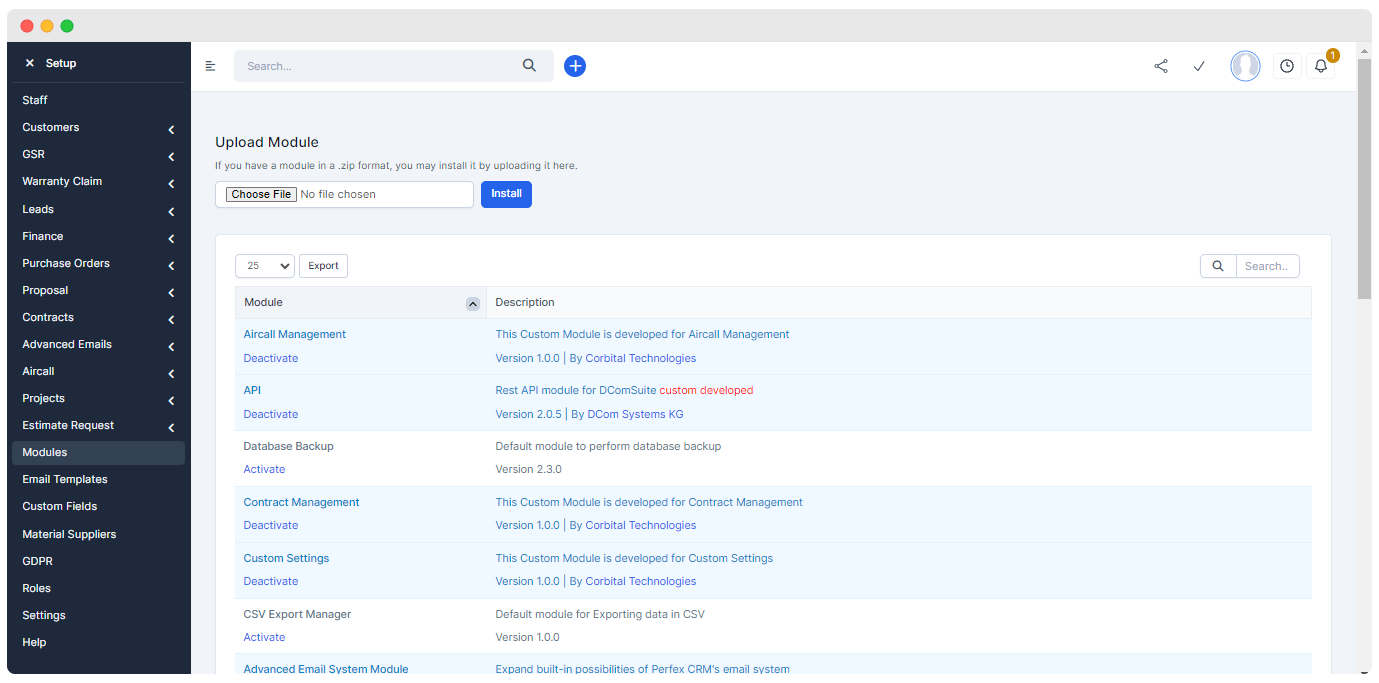
Then search for the module and activate it to show it with other regular links
Warranty Claim Module
Introduction
This module is the default feature of Perfex CRM.
Customization
The original name of this module is Support > rename to Warranty Claim
Ticket > rename to Claim such as:
New Ticket > rename > New Claim
Ticket Summary > rename > Claim Summary
Ticket Information > rename > Claim Information
A new field Assigned is added to the display table. It is used to show that to whom the claim is assigned.
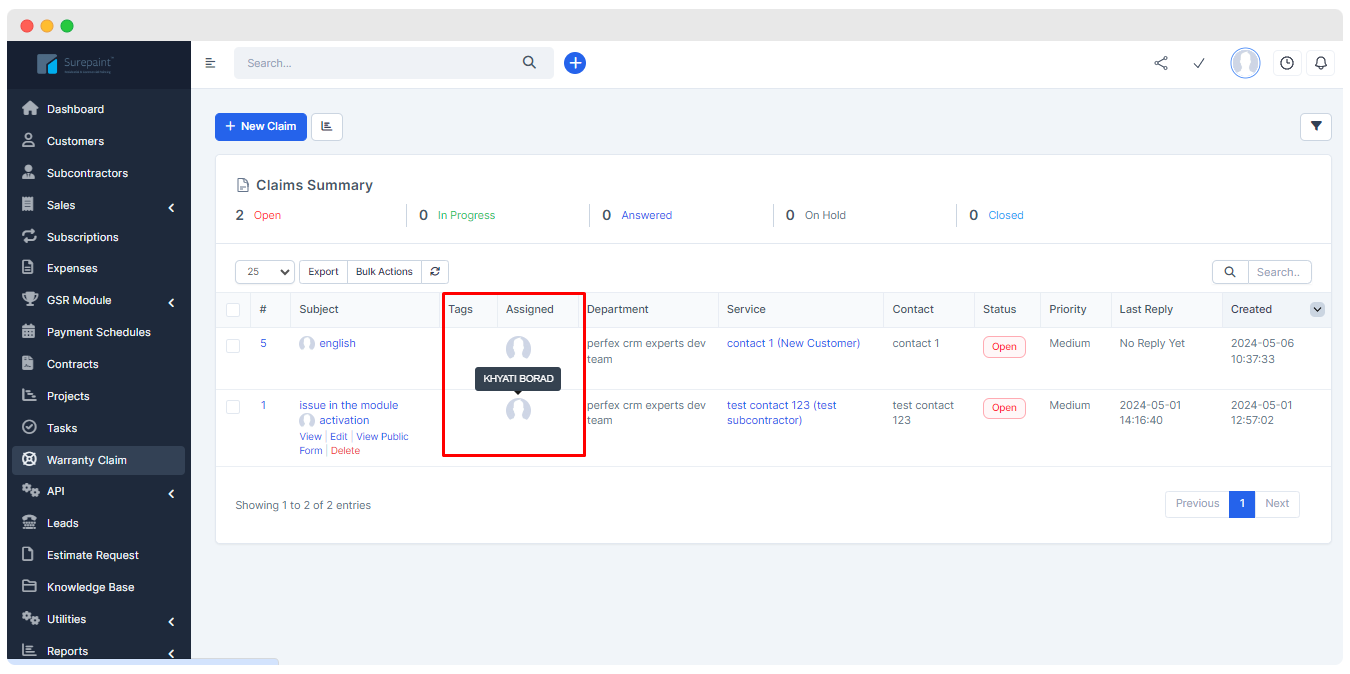
The following are the core changes in the default module of Warranty claim
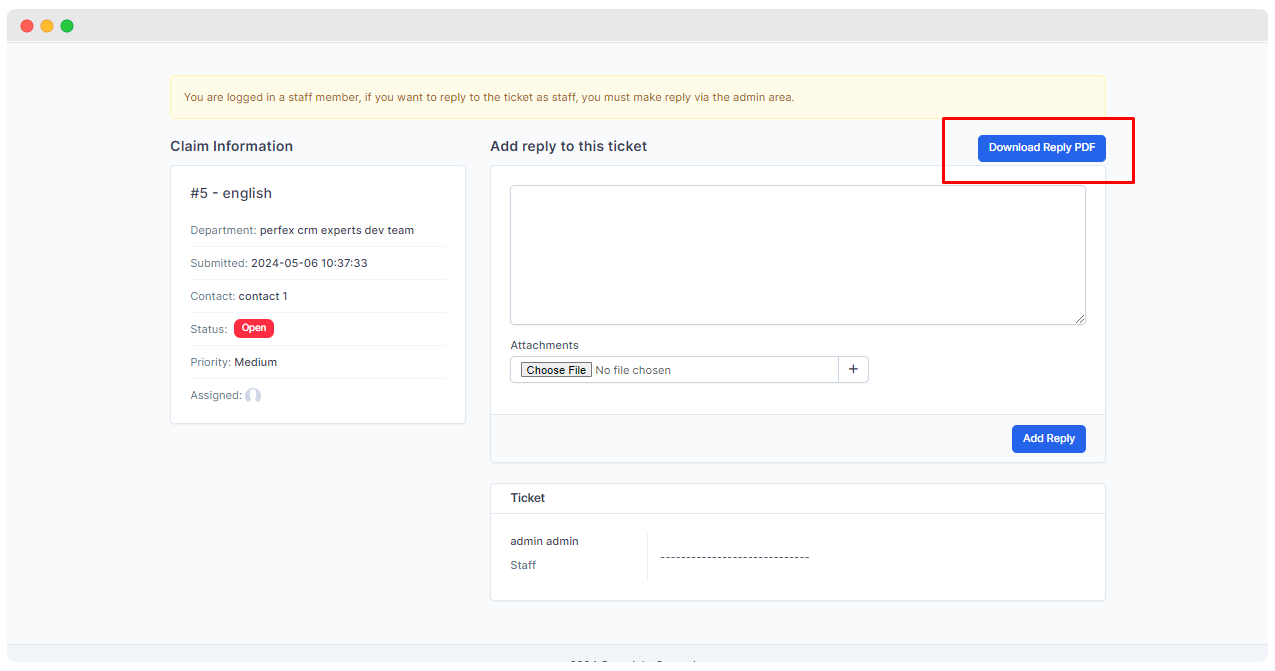
Provides the facility to Download reply PDF. Means in simple term it provide the feature that helps you to download the reply provided at the time of assignment of claim in PDF form.
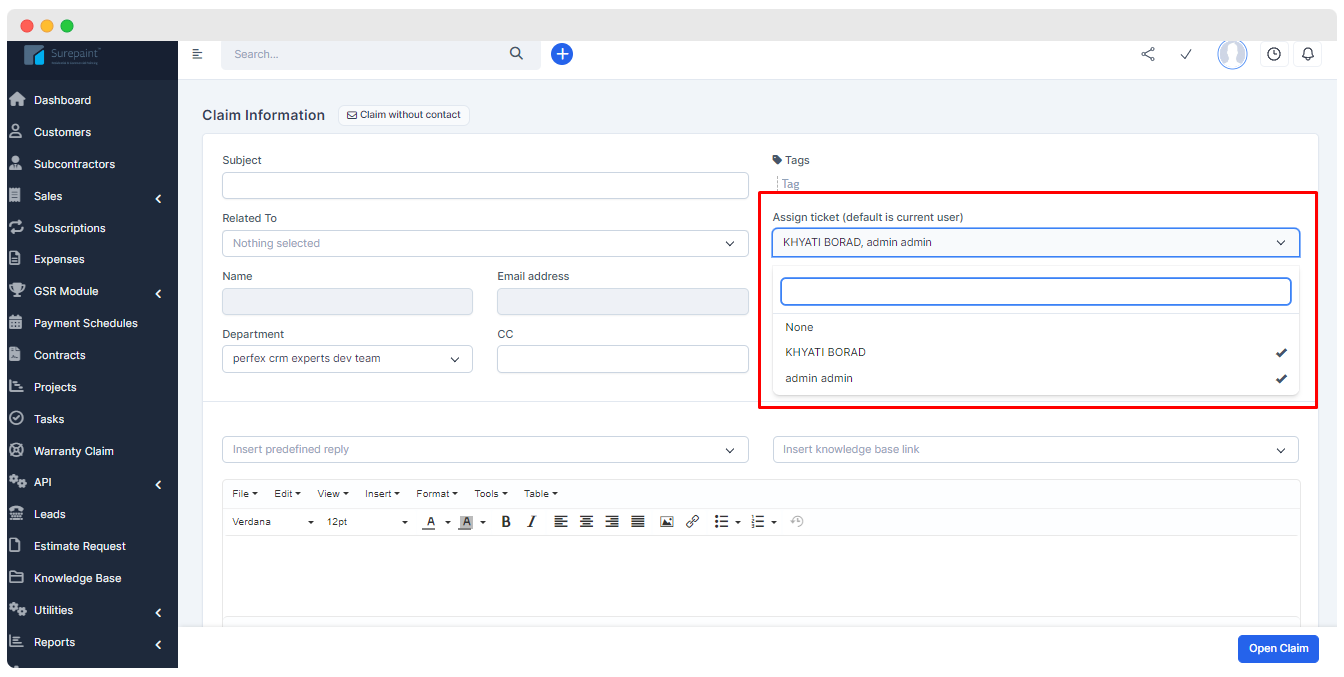
It provides the change in Assign Claim field in form and allows one to assign claim to more than one person
The field name Contact is renamed to Related to. It provides a dropdown menu and allows one to select from :
- Subcontractor :
- They are allowed to create a claim and can also allowed give reply for claim.
- Customer :
- They are allowed to create a claim and can also allowed give reply for claim.
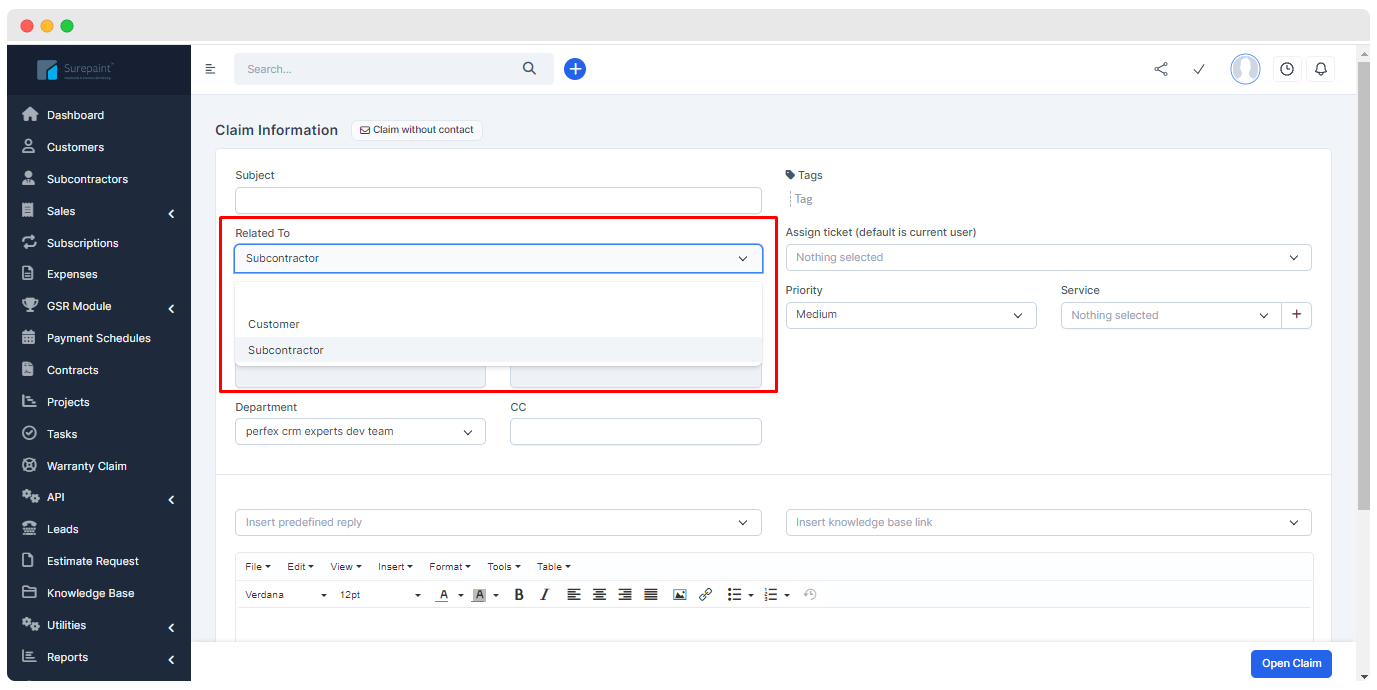
- Subcontractor :