How to Install a Module in perfex CRM
Click on in Perfex CRM dashboard.
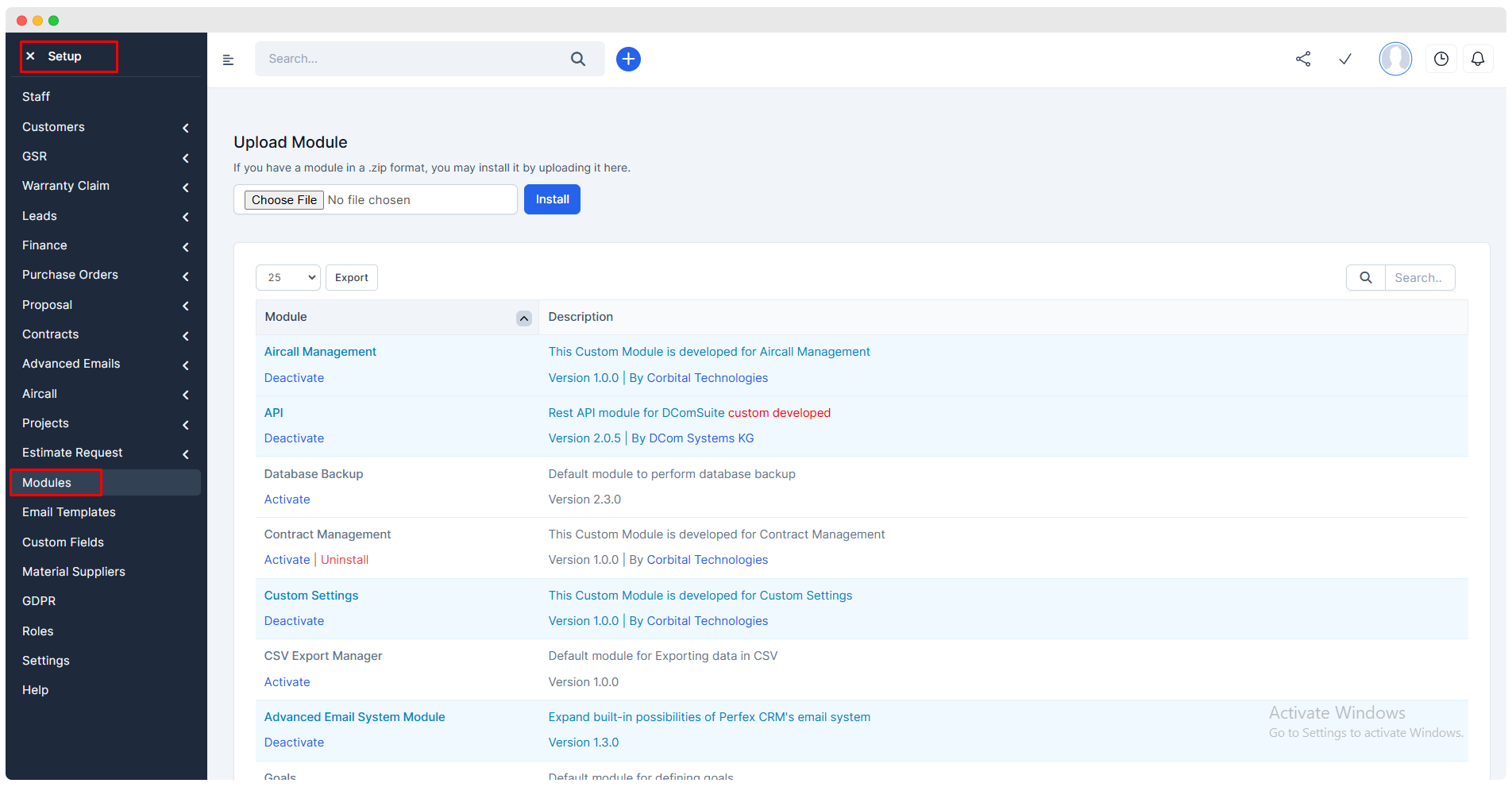
Now, to install a new module, click on
Choose Fileand select the zip file of the module and click oninstall.By default the module would be deactivated, activate it for using its features.
Variations
Sales > Variations
Added Fields in Variations Form
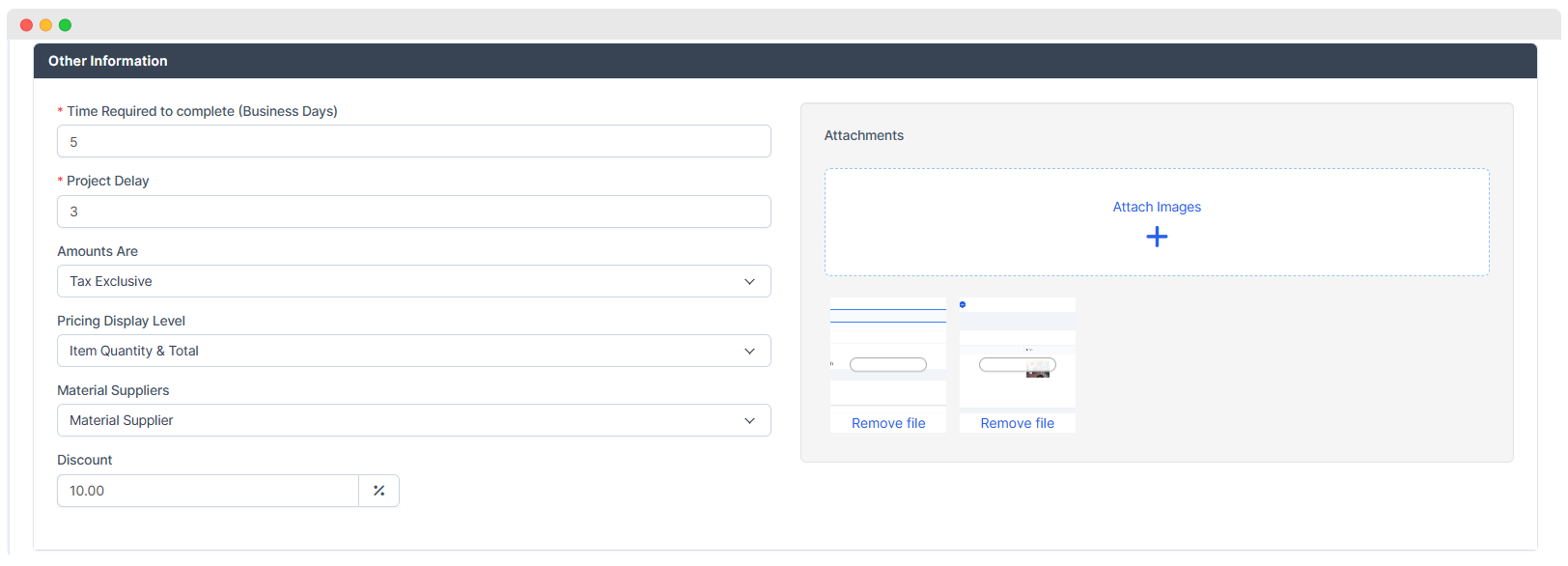
- Time required to complete
- Project Delay
- Amounts are
- Pricing Display Level : User can decide what should be displayed to the customer either
Item Quantity,Item AmountorBoth. - Material Suppliers :
- Name of Material Supplier is added in this section.
- Material Suppliers are pre-defined in
Setup > Material Suppliers.
- Material Suppliers are pre-defined in
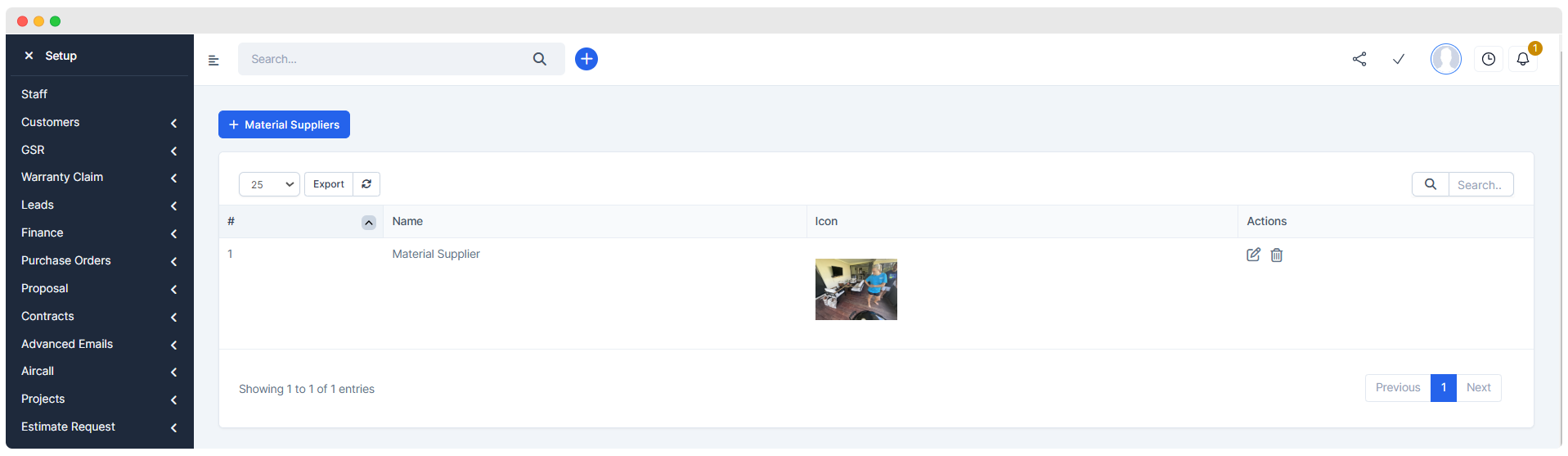
- User has to directly select a Material Supplier.
- Attachments : Variations related images are attached in this section that is displayed in
Variation Filessection of web view.
- Variation Items :
Search Tab :- It is used to
searchthe items that are pre-required for the business and already added in theSales > Items. - The required item can be selected and displayed in this field .
- It is used to
Description :This field describes the long description of the item .- The new item can be added if it is required .
Rate :It displays the rate of the item selected . It is generated automatically on selecting the item .Quantity :The user can input necessary quantity in it .GST :The rate of GST can be included if needed .Item Total :Displays the total of the particular item .
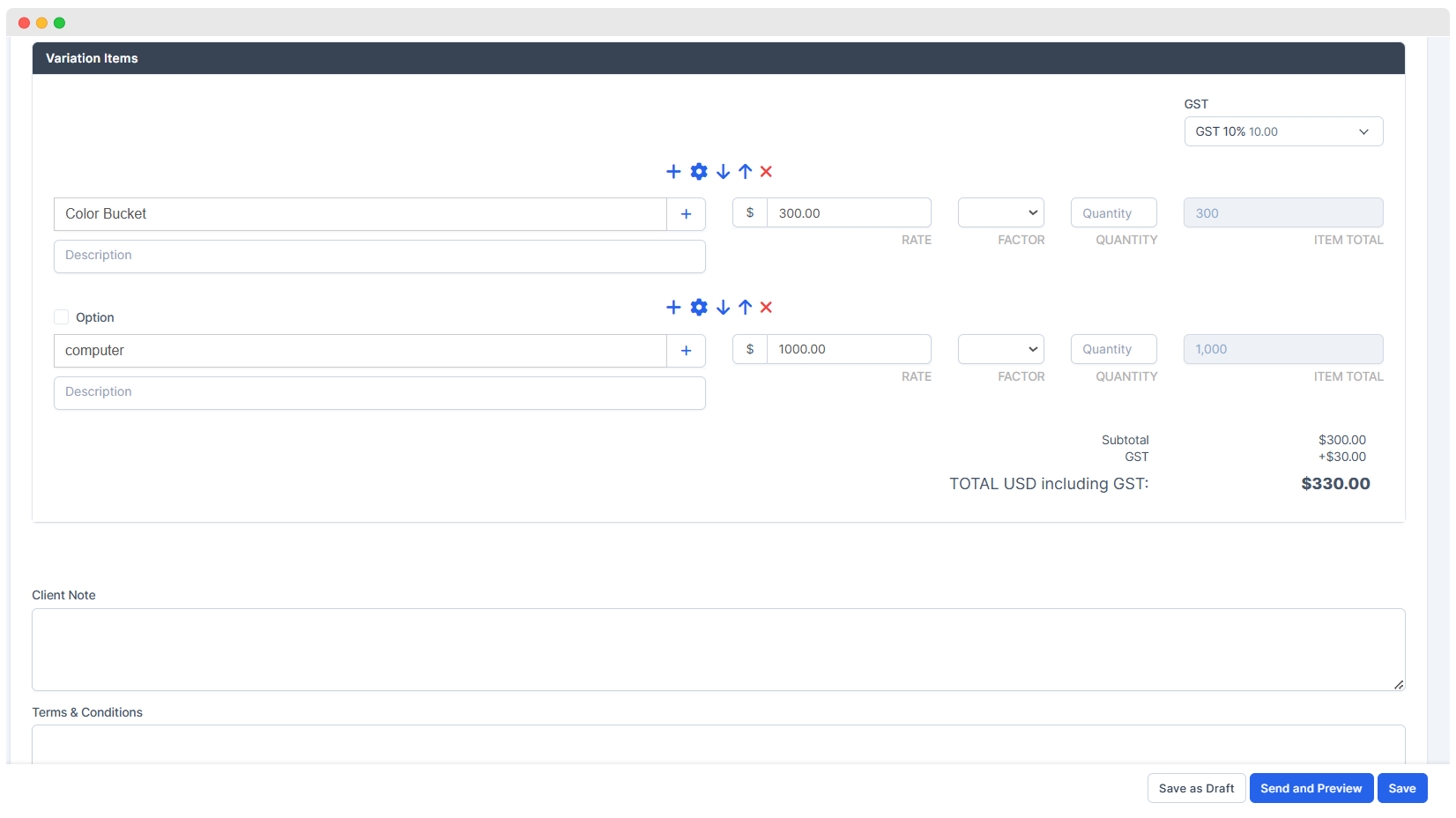
- After completing the Variation form, user gets 3 features :
Save as DraftSaveSend and Preview(Variation is saved and user gets to see its preview)
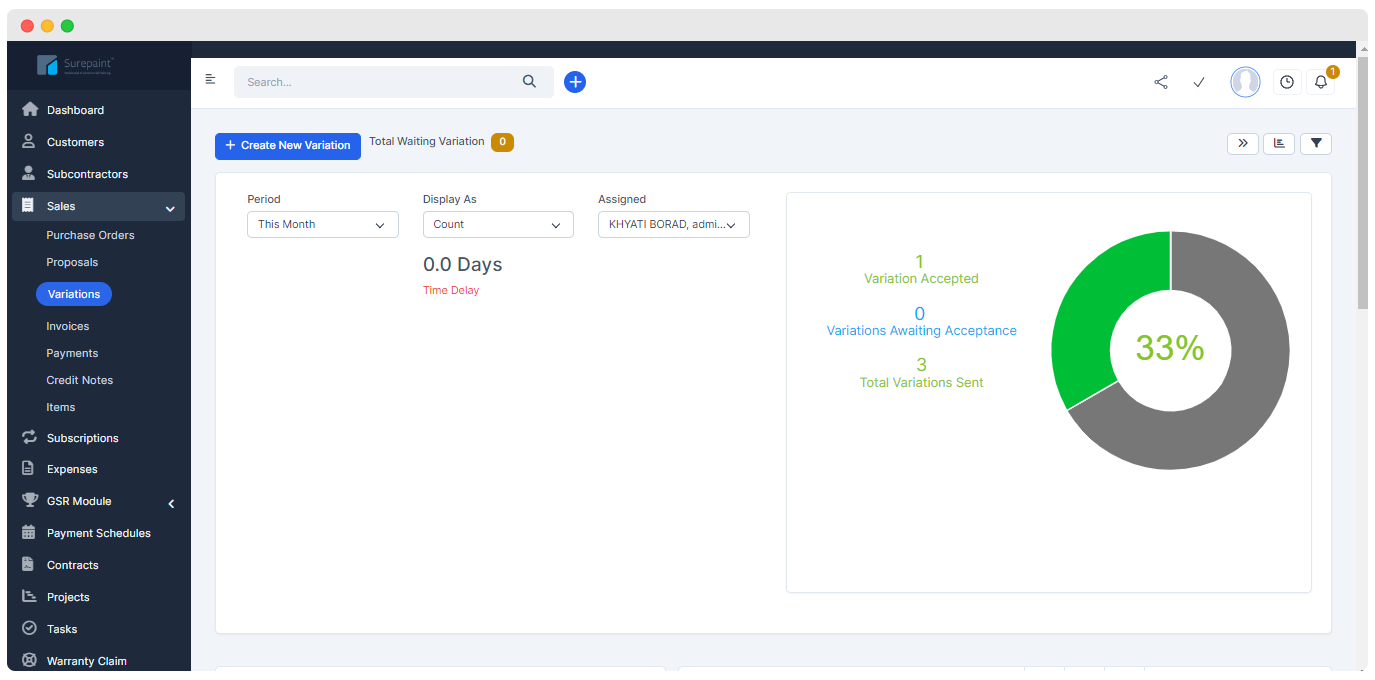
Landing Page Of Variation Module
The landing page of Purchase Order shows the following sections
- Filters
- Charts
- Data Table
1. Filters
These section consists of three filters. Changes in these filters can affect the display of
Charts&Data Table
- Period Filter
- Display As Filter -> The chart will be classify on the basis of
Count,Total Value,Avarge Value.- Assigned Filter

2. Chart
This part will display the charts for variations module on the basis of value selected in filters.
3. Data Tables
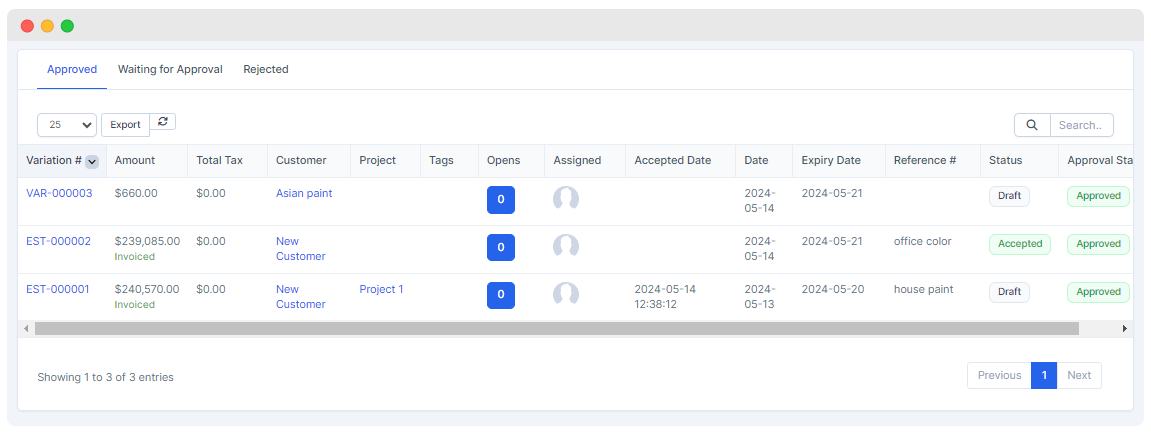
The data table will display all the details of entered Variations.
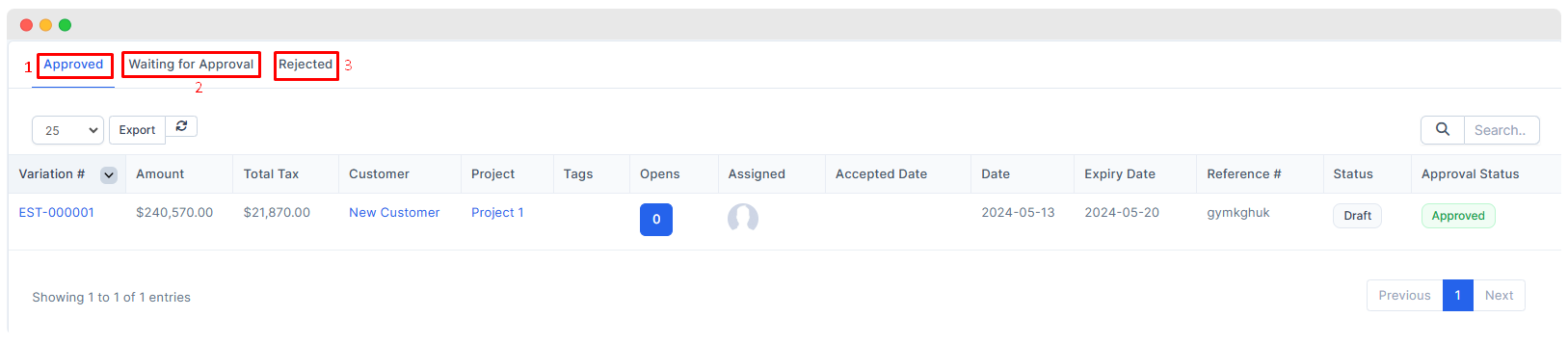
The landing page of Variation will show following data tables -
- Approved
- Waiting for Approval
- Rejected
Variation Preview
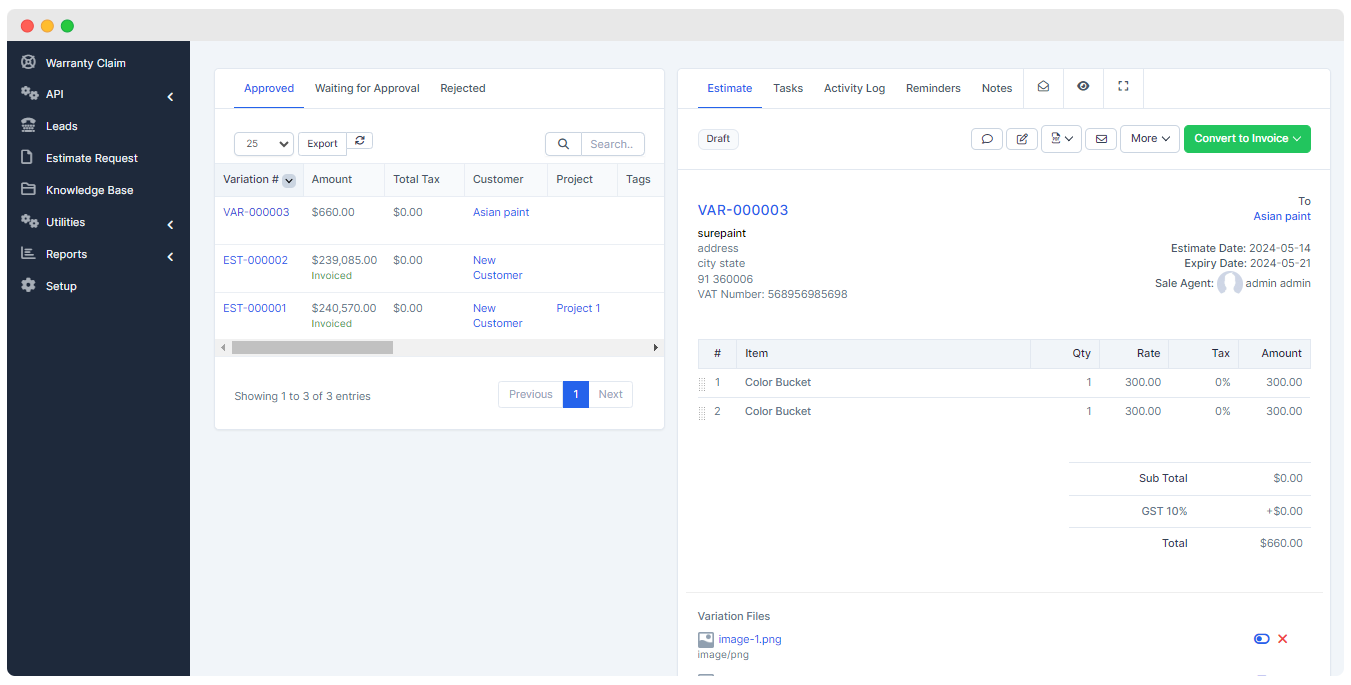
With click on the Variation user can see Variation Preview.
SMS Sending
Edit Variations details
PDF Creation
Email Sending
More - Web View, Status Change , Delete Estimate , Copy Estimate.
Covert to Invoice - Convert and save as Draft , Convert
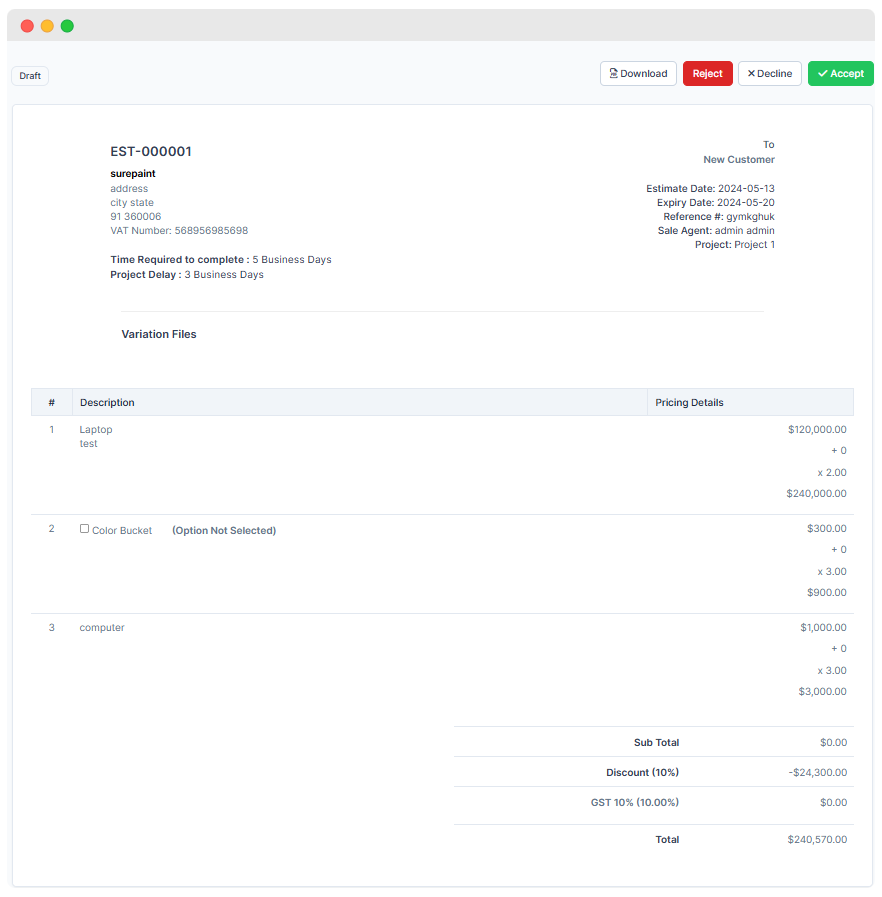
- Variation Files
Those images which are inserted in Attachments field will be shown in Variation preview.
Staff gets to decide whether the attached images can be seen by the customer or not through 'Show to customer' option
By default customer can't see the images.

Web View of Variations
The web view of variations can be viewed with click on the record from the landing page of the variations .
When the variations exceeds above the specified amount , it is first sent to the
Superior Officer, who approves or rejects the proposal.If the variation is
approvedby the superior officer , it is displayed in theApproved field.If the variation is
neither approved nor rejected, it shows that still response of the officer is pending .Such variation is shown inWaiting for Approval filed.When the Superior officer
rejectsthe variation , it is displayed in theRejected field.
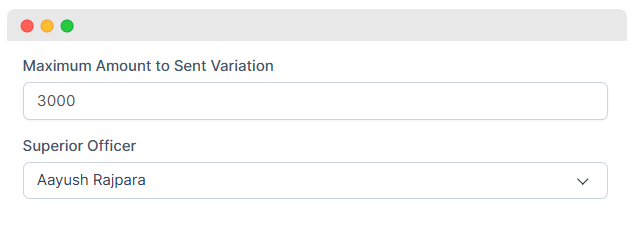
- The 3 new fields are added in Staff Member form : 2. Maximum amount to sent Variation : Need the permission of the Superior officer to sent the variations to customer that exceeds the limit mentioned here . 3. Superior Officer : Name of the officer who is responsible to approve or reject the variations .
- When the
superior officerdeclines or approvesthe variations , themailfor the same is sent to thestaff memberwho created the variations . - The following 3 fields are added in web view :
- Accept : For the customer to accept the variations .
- Reject : For the customer to reject the variations .
- Optional Item : If any optional item is mentioned in the variations then the customer can add if needed that item from here . If the item is selected its effect will be seen in the amount of grand total .